Tee volume break
Buy 2 → 10% off, 3 → 15%, 4+ → 20% (counted per variant)
A shopper buying 3 of the same tee pays 15% less on all three.
Tab Promo lets you add quantity tiers to a product discount, so the price per item drops as the shopper buys more, with up to 10 tiers in one rule. Each tier is a percentage or a fixed amount off every eligible item, and you choose whether quantities count per variant, across variants of the same product, or across everything in the offer. The discount is applied by Shopify at checkout and shows on each cart line.
See it work

Your bag
Add 1 more from the Leather Edit to save 15%
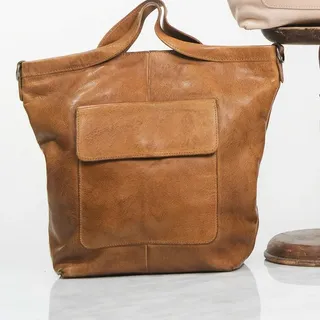 Market ToteCognac · $260.00 each2$520.00
Subtotal$520.00
Leather Edit · 10% off−$52.00
Total$468.00
Checkout
Discounts are applied by Shopify at checkout
More from the Leather Edit
 Market ToteBlush · $260.00
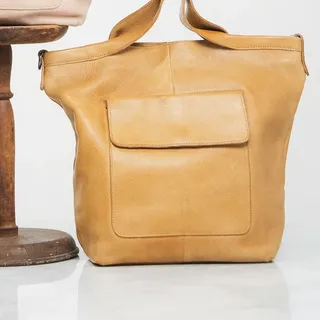 Market ToteHoney · $260.00
Tier 1 of 3 reached
−$52.00
1 more for 15% off
Examples
Buy 2 → 10% off, 3 → 15%, 4+ → 20% (counted per variant)
A shopper buying 3 of the same tee pays 15% less on all three.
Any items from the Socks collection: 3+ → 15% off, 6+ → 25% off (counted across all eligible items)
2 black pairs plus 1 grey pair reach the 3+ tier, so all three pairs get 15% off.
5+ units → $5 off each, 10+ units → $10 off each
10 units of one product get $10 off each unit, $100 off in total.
B2B company customers only: 5+ → $5 off each, 10+ → $10 off each
Company buyers see the tier price at checkout; regular shoppers pay the normal price.
Setup
Good to know
Plan: Free — up to 20 promotion orders a month; Starter — $49/month for unlimited orders. Compare plans
FAQ
No. Your catalog prices stay the same. The tier discount is applied at checkout and appears as a discount on each cart line.
Yes. With the Tab Promo app embed and blocks turned on in your theme, product pages can show the tier ladder and how many more items reach the next tier. Theme offers are included on every plan, including Free.
The discount is calculated by Shopify's own discount system (Shopify Functions) during checkout, with no call out to Tab Promo's servers. Offer messages in your theme load separately and are built so they never block the cart or checkout.
Yes, if you allow it. Each campaign has a Combinations setting that controls whether it can combine with other order, product or shipping discounts, using Shopify's normal combination rules. Inside one campaign, you also choose whether every matching rule applies or only the best one.
Yes. A campaign can be an automatic discount or a code discount. The tier logic is the same either way.
No. Tab Promo's plans don't require Shopify Plus. The only Plus-only feature is linking a Tab Promo product discount with a Shopify-native product discount on the same item.
More with Tab Promo