Any 2 tees, 20% off
Tees collection, 20% off, Complete pairs
Tees at $40, $30 and $20: the $40 and $30 tees get 20% off ($14 off). The $20 tee stays at full price.
Tab Promo's Complete pairs setting gives a percentage off every complete pair of eligible items, so "any 2 for 20% off" keeps repeating at 4, 6 or 8 items. Pairs are counted across everything the rule covers, so shoppers can mix products, and the highest-priced items are paired first; with an odd count, the lowest-priced item stays at full price. It is an option on the Product percentage discount, and the rule must be set to "Use only the best matching rule".
See it work

Your bag
20% off
 Grey Check BlazerSize 38 · $390.001
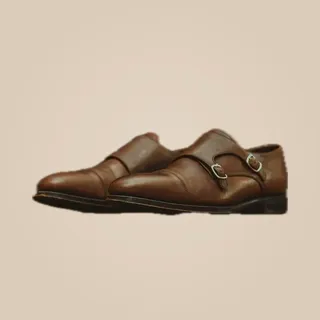 Monk Strap ShoesSize 39 · $310.001
 Tailored TrousersSize 36 · $220.001
Subtotal$920.00
Atelier pairs · 20% off−$140.00
Total$780.00
Checkout
Discounts are applied by Shopify at checkout
1 complete pair · 20% off
−$140.00
Tailored Trousers stays full price
−20%Grey Check Blazer and Monk Strap ShoesFull priceTailored TrousersExamples
Tees collection, 20% off, Complete pairs
Tees at $40, $30 and $20: the $40 and $30 tees get 20% off ($14 off). The $20 tee stays at full price.
Socks collection, 30% off, Complete pairs
Two black pairs at $12 and two grey pairs at $10 make two complete pairs: all four get 30% off, $13.20 in total.
All products, 50% off, Complete pairs
Five $15 items: four are discounted ($30 off) and the fifth is full price.
Candles collection, 25% off, Complete pairs
Two $25 candles of the same scent are a pair: $12.50 off.
Setup
Good to know
Plan: Free — up to 20 promotion orders a month; Starter — $49/month for unlimited orders. Compare plans
FAQ
No. Here both items in each pair get the percentage. For half off only the cheaper item, use the Second item half price template, which is a Buy X Get Y offer.
Items are paired from the highest price down, so the single leftover item is the lowest-priced one and stays at full price.
Yes. All eligible items in the cart are counted together, so any two products the rule covers make a pair.
Not with this setting; it only makes pairs. Use quantity tiers (for example 3+ items → 15% off each) or a Buy X Get Y offer instead.
Yes. With a Tab Promo app embed or product-page messaging on, the theme can show messages such as "Add 1 eligible item for the next pair". The price is decided at checkout.
More with Tab Promo