Tab Commerce

Spend $X, get $Y off on Shopify, without counting sale items

Tab Promo's scoped spend rule runs "spend $X, get $Y off" while leaving the collections you choose, such as Sale or Gift cards, out of both the spending threshold and the discount. Only items outside those collections count toward the threshold, and the fixed amount comes off those same items, never more than their total. You set it up from Set up scoped spend in the rule editor.

Plan: Free — up to 20 promotion orders a month; Starter — $49/month for unlimited orders

See it work

Sale items don’t count.

9:41
Bag 2

Your bag

Tab Promo

Spend $180 more to unlock $50 off

Tailored TrousersSize 36$220.00
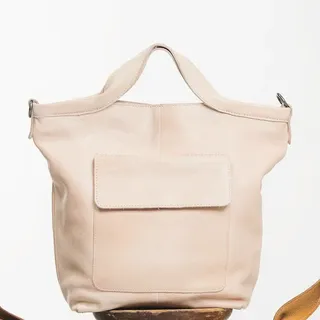
Market ToteSale · $260.00$180.00
Grey Check BlazerFull price · $380.00

Subtotal$400.00

$50 off · not reached—

Total$400.00

Checkout

Discounts are applied by Shopify at checkout

Counts toward $400

$220.00

$180 to go · sale items don’t count

Sale items don’t countRule: spend $400, not counting Sale → $50 off

Which items count

  • Tailored TrousersCounts · can be discounted
  • Grey Check BlazerNot in the bag
  • Market Tote · SaleNever counts · never discounted
Rule: spend $400, not counting the Sale collection → $50 off. Sale items keep their price, never count toward the $400 and get none of the $50, which never exceeds what the eligible items cost.

Examples

Offers you can set up today.

Sale items excluded

Spend $100, not counting the Sale collection → $20 off

A $70 jacket plus a $50 sale dress does not qualify ($70 counts). Add a $40 shirt and $110 counts, so $20 comes off the jacket and shirt; the dress stays $50.

Gift cards excluded

Spend $75, not counting the Gift cards collection → $10 off

A $50 gift card plus a $40 candle does not qualify: only the $40 candle counts.

Spend on one collection

Scoped line total on Skincare at least $100 → $15 off the Skincare items

$120 of skincare plus a $30 candle gets $15 off the skincare. The candle neither counts nor gets the discount.

Free gift not counted

Spend $100, not counting Sale → $20 off, in a store that also runs a free tote gift

With $95 of full-price items and a claimed free tote, the cart is still $5 short. Gift lines never count.

Setup

How to set it up.

  1. Create or open a campaign. Click Create campaign and choose Blank campaign, or open an existing one. Automatic discount and Discount code both work.
  2. Add a rule and choose Set up scoped spend. In the Rules card, click Add rule. Under Conditions, before choosing an action, select Set up scoped spend. It fills in a Scoped line total condition and an Order fixed-amount discount that share one set of exclusions.
  3. Pick the excluded collections. In Collections excluded from threshold and discount, add at least one collection, such as Sale. The same collections are left out of the threshold and the discount.
  4. Set the threshold and the amount off. Enter the spend amount in the Scoped line total condition and the amount off in the Order fixed-amount discount, then set the rule to Active.
  5. Preview with excluded items, then publish. Run Preview on an order that contains items from an excluded collection and check what counted. Then open Publish and click Publish now.

Good to know

Where it stops.

  • Scoped spend takes a fixed amount off. An Order percentage discount cannot be limited to some collections; for a percentage, use a Product percentage discount that excludes the same collections, with a Scoped line total condition.
  • The one-step setup excludes collections only. To count only one collection or specific products, select Edit threshold and discount separately and set the scope on the condition and the discount yourself.
  • The editor will not save while the threshold and the discount exclude different collections, unless you choose Edit threshold and discount separately.
  • In External data (metafield) campaigns the threshold can only use collections, and the campaign has room for one collection list, so the threshold and the discount must use the same collections.

Plan: Free — up to 20 promotion orders a month; Starter — $49/month for unlimited orders. Compare plans

FAQ

Common questions.

Do excluded items keep their current price?

Yes. Tab Promo does not change any prices. Items in excluded collections simply do not count toward the threshold and do not share the amount off.

What if my sale items aren't in one collection?

Group them into a collection in Shopify, or choose Edit threshold and discount separately and exclude specific products in both the condition and the discount.

Does the threshold include tax, shipping or other discounts?

No. It adds up item prices before discounts, without tax or shipping. Claimed free gift lines never count.

Can the discount be bigger than what the shopper spent on eligible items?

No. The fixed amount comes off the eligible items only and never exceeds their total.

Can I run it as a discount code?

Yes. Pick Discount code when you create the campaign. The code only applies when the eligible items reach the threshold.

More with Tab Promo

Related guides.